My Projects
◈ What I've built
Desktop Application
Word App
This is a desktop application that includes the features that those who want to learn English will need. The main goal is to systematically record unknown words or sentences in lists you create and later practice with them to memorize those words. You can work with quizzes created by Gemini AI, which explains each option to you one by one. It also checks a piece of writing you have written for grammar and corrects any mistakes.
Sections
1. Lists:
You can create as many different lists as you want and add the words you don't know to them.
2. Translation:
As you can see from the name, you can translate words and then add them to the lists you previously created using the "Add to List" button.
3. Grammar Check:
You can check the grammar of the sentences you have written using Gemini and correct any mistakes.
4. Exercise:
- Gemini AI creates a 4-option quiz for you based on the topic and level you choose, then it explains whether your answer is correct or not, and if it is wrong, it explains why and the options one by one.
- In the "My Lists" section, the words in the lists you created appear randomly and you try to find the correct answer.
AI-Powered Tool
AI-Powered Translation
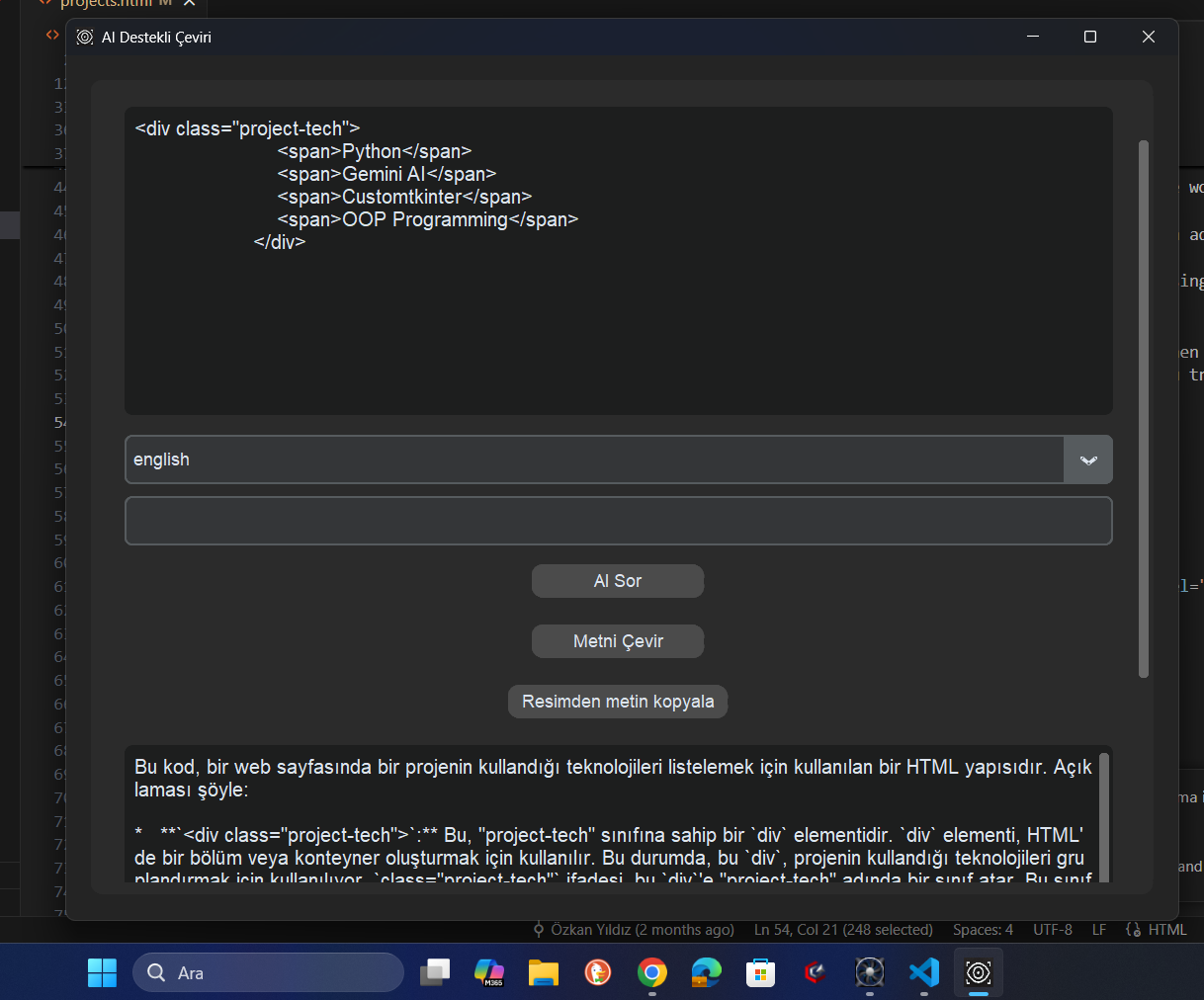
This project is an AI-powered translation and OCR (Optical Character Recognition) application developed with Python. The application allows users to translate texts, ask questions to an AI, and extract text from images.
Features
Text Translation:
Users can translate text into a selected language.
AI Questioning:
Users can ask questions to the AI and receive responses on texts or specific topics.
Clipboard Monitoring:
The application detects text copied to the clipboard and automatically displays it in the text box — no need to paste manually.
OCR (Optical Character Recognition):
By copying text from any screenshot to the clipboard, users can directly translate it or ask the AI about it.
Conversational AI
My AI Agent
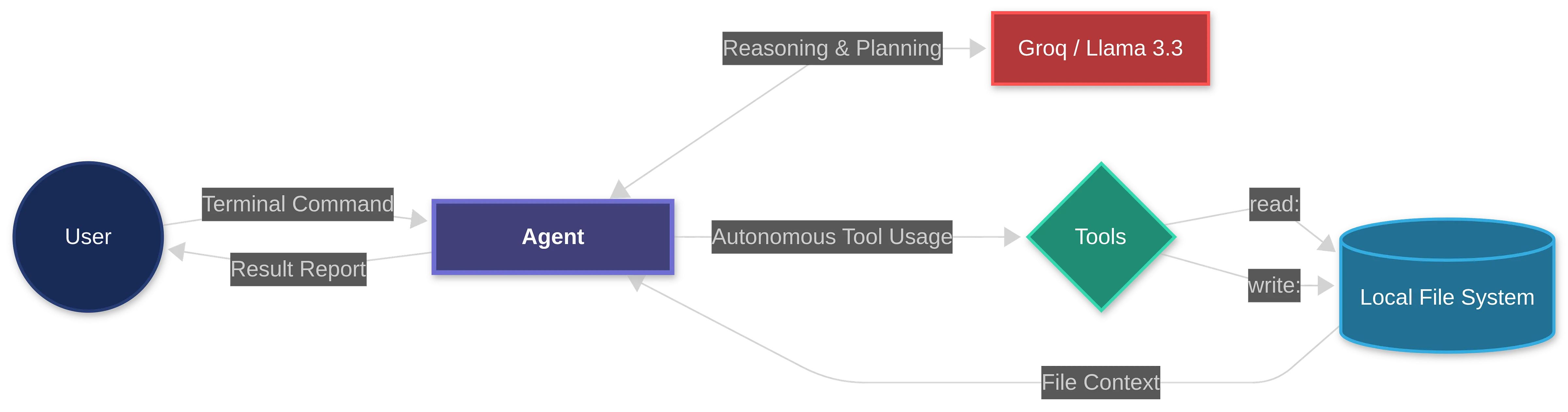
A powerful conversational AI assistant built with Groq and Gemini API, featuring file analysis, conversation history management, and lesson logging capabilities. The agent can autonomously explore, read, and modify files without manual commands.
Features
🤖 Agentic Workflow:
Autonomous agent that can explore, read, and modify files without manual commands.
📁 File Analysis & Code Extraction:
Read and analyze code files with support for relative, absolute, and ~ paths. Extract code blocks from AI responses and save directly to files.
🧠 Smart History Management:
Sliding window conversation history with automatic token optimization and lesson logging from past interactions.
⚡ Architecture:
- 🎯 Modular architecture with clean command-based structure for easy maintenance
- 🔒 Secure configuration with environment-based API key management
- 📊 Comprehensive logging to debug and track all operations
- ⚡ Robust error handling with custom exceptions and detailed error messages